All templates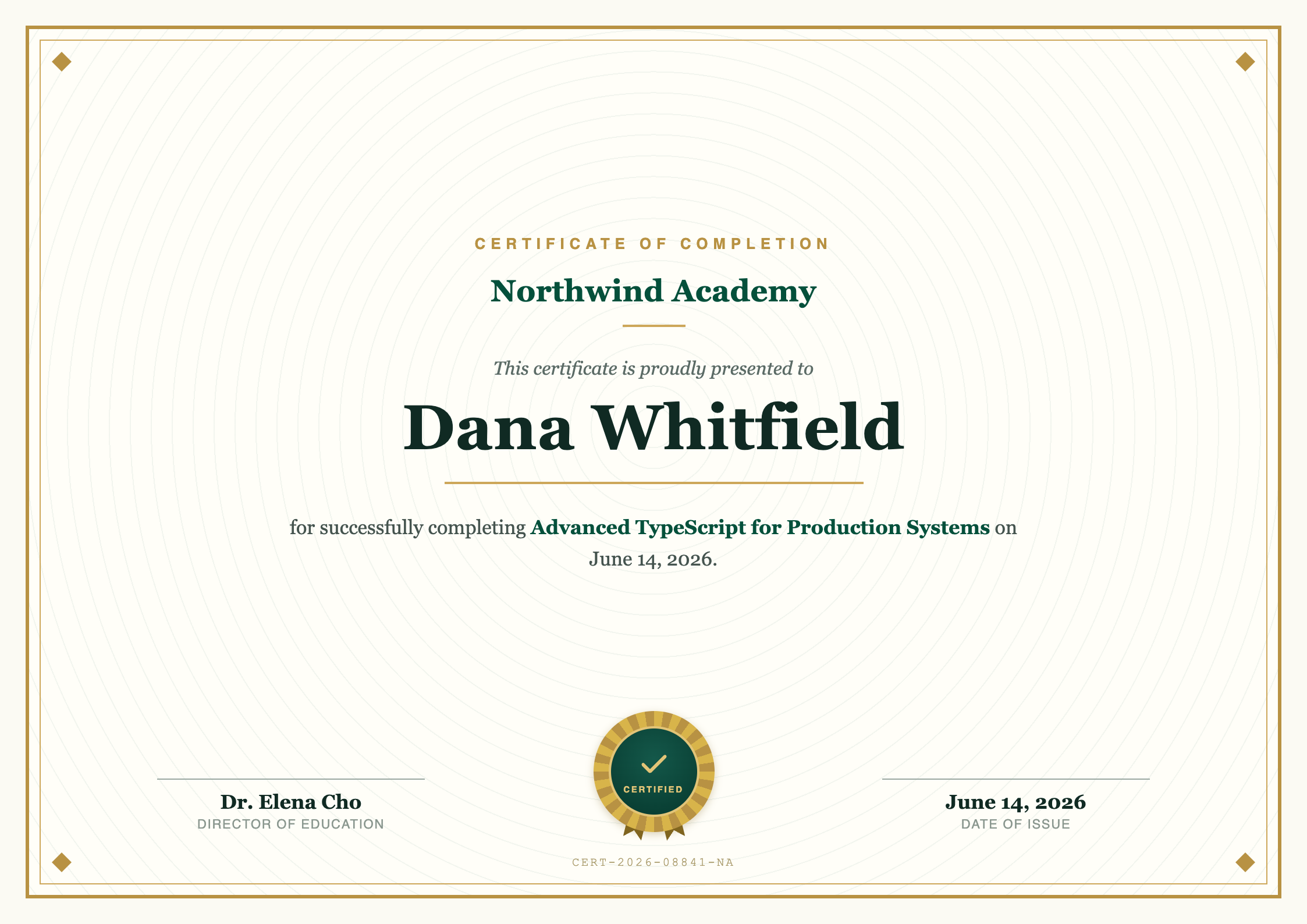
Classic certificate template
A4 landscapeA formal A4 landscape certificate of completion with a gold double frame, a printed medallion seal, and signature lines, set in classic serif type. Set the recipient, course, date and signatory per learner. The API returns the finished certificate.
The exact PDF the API produces. What you preview is what you generate.
Generate with the API
Use this template, publish it to get a template id, then call the API with your data. Replace YOUR_TEMPLATE_ID and YOUR_API_KEY with your own.
import { writeFile } from "node:fs/promises";
import { PdfGlyph } from "pdfglyph";

const client = new PdfGlyph({
  apiKey: "YOUR_API_KEY",
  baseUrl: "https://api.pdfglyph.dev",
});

const { pdf } = await client.generate({
  templateId: "YOUR_TEMPLATE_ID",
  data: {
    "recipientName": "Dana Whitfield",
    "courseName": "Advanced TypeScript for Production Systems",
    "completionDate": "June 14, 2026",
    "organizationName": "Northwind Academy",
    "signatoryName": "Dr. Elena Cho",
    "signatoryTitle": "Director of Education",
    "certificateId": "CERT-2026-08841-NA"
  },
});

// pdf is a Uint8Array — write it to a file, return it, or stream it.
await writeFile("document.pdf", pdf);
Sample data
The JSON this preview was rendered from. Match these fields, or edit the template to fit the data you already have.
{
  "recipientName": "Dana Whitfield",
  "courseName": "Advanced TypeScript for Production Systems",
  "completionDate": "June 14, 2026",
  "organizationName": "Northwind Academy",
  "signatoryName": "Dr. Elena Cho",
  "signatoryTitle": "Director of Education",
  "certificateId": "CERT-2026-08841-NA"
}
Start from the Classic certificate template
Open it in the editor as a new draft, adjust the HTML until it looks like yours, then generate PDFs from your code.