All templates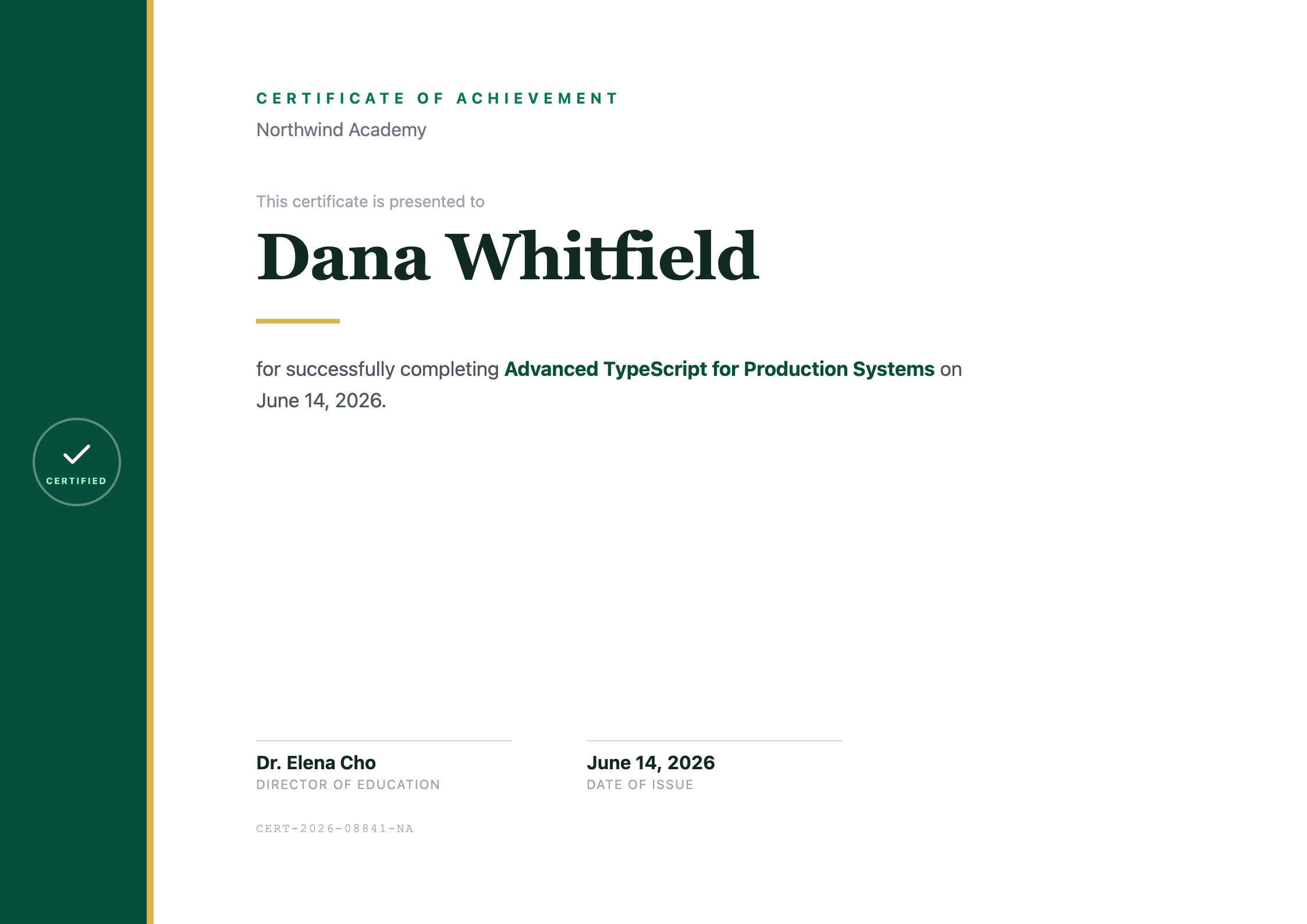
Modern certificate template
A4 landscapeA modern A4 landscape certificate with a solid accent sidebar, a flat badge, and clean type with a serif recipient name. A quieter alternative to the gold-framed classic.
The exact PDF the API produces. What you preview is what you generate.
Generate with the API
Use this template, publish it to get a template id, then call the API with your data. Replace YOUR_TEMPLATE_ID and YOUR_API_KEY with your own.
import { writeFile } from "node:fs/promises";
import { PdfGlyph } from "pdfglyph";

const client = new PdfGlyph({
  apiKey: "YOUR_API_KEY",
  baseUrl: "https://api.pdfglyph.dev",
});

const { pdf } = await client.generate({
  templateId: "YOUR_TEMPLATE_ID",
  data: {
    "recipientName": "Dana Whitfield",
    "courseName": "Advanced TypeScript for Production Systems",
    "completionDate": "June 14, 2026",
    "organizationName": "Northwind Academy",
    "signatoryName": "Dr. Elena Cho",
    "signatoryTitle": "Director of Education",
    "certificateId": "CERT-2026-08841-NA"
  },
});

// pdf is a Uint8Array — write it to a file, return it, or stream it.
await writeFile("document.pdf", pdf);
Sample data
The JSON this preview was rendered from. Match these fields, or edit the template to fit the data you already have.
{
  "recipientName": "Dana Whitfield",
  "courseName": "Advanced TypeScript for Production Systems",
  "completionDate": "June 14, 2026",
  "organizationName": "Northwind Academy",
  "signatoryName": "Dr. Elena Cho",
  "signatoryTitle": "Director of Education",
  "certificateId": "CERT-2026-08841-NA"
}
Start from the Modern certificate template
Open it in the editor as a new draft, adjust the HTML until it looks like yours, then generate PDFs from your code.